
Set up YourSizer
How a store goes from sign-up to a live size button — connect the platform, import the catalogue, load size charts, design the widget. Shown step by step in the merchant panel.
Everything below happens in the merchant panel at merchant.yoursizer.com. On a supported platform the whole setup is a same-day job; the part worth spending time on is the size charts, because they decide accuracy.
The setup checklist
The Overview page tracks setup for you. Each card turns green when it is done, and Complete remaining walks you to the next open step.
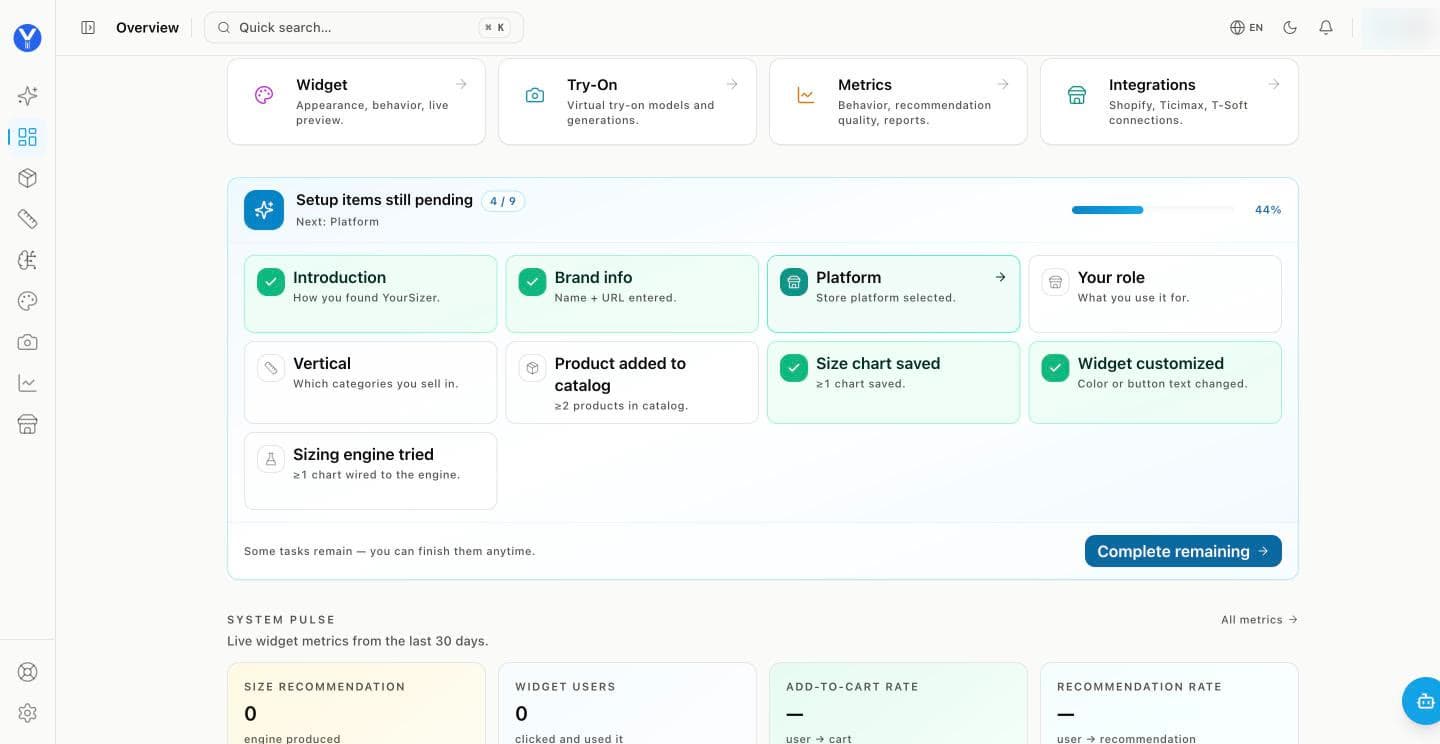
Connect your store platform. Open Integrations and pick your platform. Products, variants and stock levels are imported automatically; orders follow, so recommendations can be tied to sales.
Check the catalogue. At least two products in Catalog — the import does this for you. Categories come from your store’s own category tree, not from product titles.
Save a size chart. In Size Charts pick the audience (women, men, kids, baby), then the category, and enter the chart — or upload a picture of it and let the panel read it. Size charts →
Design the widget. In Widget, set the button text, colours and placement for each category, preview it, and switch the widget on. Widget →
Try the engine, then go live. Run a recommendation on a product you know well. On a supported platform the button appears on product pages by itself; on any other store, paste the one-line script tag.
Pick your platform
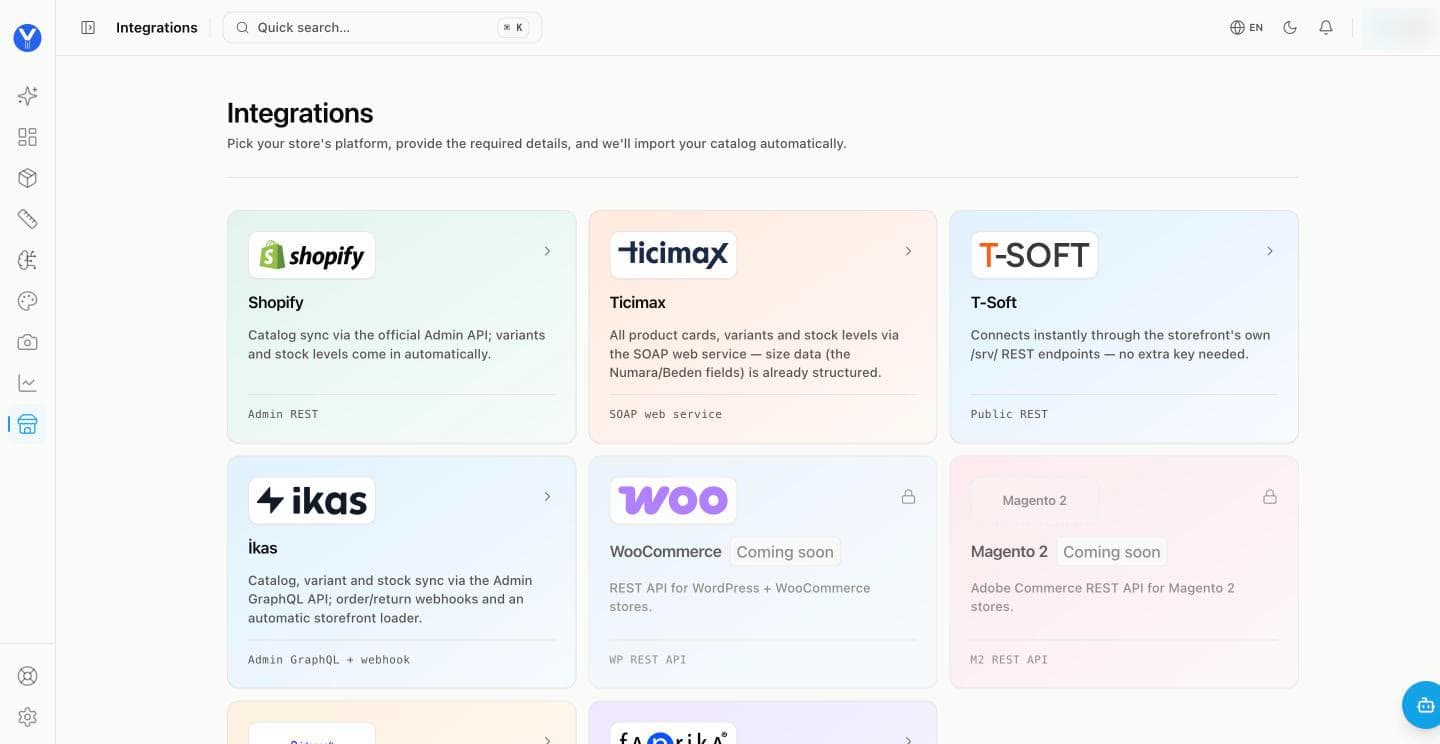
 ShopifyOne-click OAuth app install
 TicimaxSOAP web service + member code
 ikasPrivate app, GraphQL + webhooks
 T-SoftPublic storefront endpoints
 IdeaSoftAdmin API with OAuth2
 FaprikaAdmin API key + panel user
No integration for your platform? Any storefront can run the widget with one script tag. WooCommerce and Magento 2 are listed as coming soon; until then they use the script tag too.
What happens after you connect
Catalogue import
Products, variants, size options and stock come in on connect and stay in sync — through webhooks where the platform offers them, and a scheduled sync where it does not.
Order signals
Completed orders are matched to the recommendation the shopper saw, so the dashboard can show assisted conversion with the signal that proved it.
Storefront button
The size button is placed on product pages by the integration — theme app embed on Shopify, the storefront loader on ikas, a script block on Ticimax.