Script tag (any storefront)
Put YourSizer on any store — WooCommerce, Magento or a custom build — with one loader script tag copied from the merchant panel. No npm package and no initialisation code.
 YourSizer Live
 ResReturn Planned
 NoShot Early access
On Shopify, ikas, Ticimax, T-Soft, IdeaSoft and Faprika the widget is placed by the platform integration and you can skip this page. On any other storefront — WooCommerce and Magento 2 included, until their native integrations ship — you add one loader script tag.
Copy the tag from the panel
Open Widget → Install. The tag already carries your store’s public key; paste it into the <head> of every page.
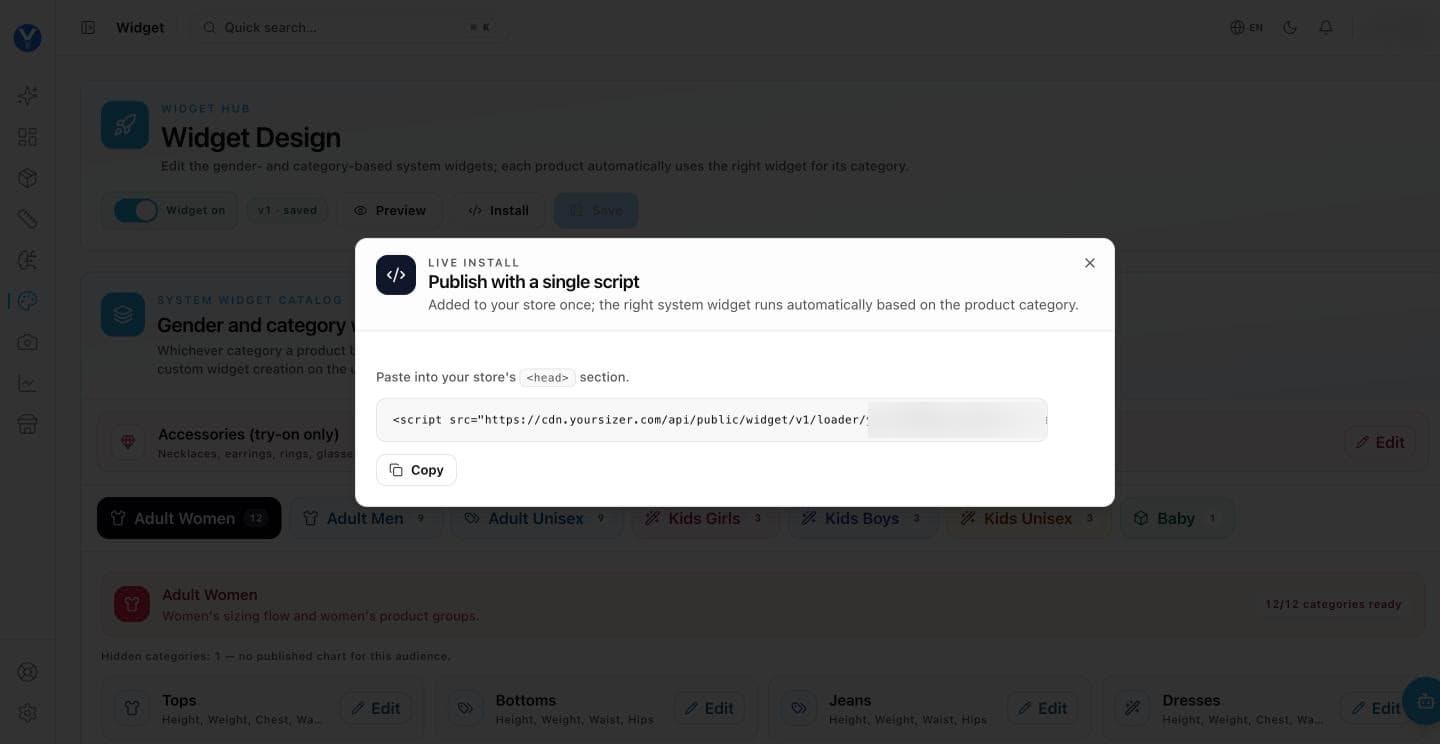
<!-- copy this line from the Widget page of the merchant panel -->
<script src="https://cdn.yoursizer.com/api/public/widget/v1/loader/YOUR_PUBLIC_KEY.js" async></script>
What the tag accepts
| Part | Required | What it does |
|---|---|---|
YOUR_PUBLIC_KEY | yes | Your widget’s public key, already filled in when you copy the tag from the merchant panel. It is public by design — it appears in your storefront source — and it identifies the store the recommendation, charts and analytics belong to. |
?buttonTargetSelector=… | no | A URL-encoded CSS selector added to the script address, for example ?buttonTargetSelector=%23size-slot. The button is then placed inside that element. Without it, placement follows the layout set in the merchant panel. |
yoursizer:cart-add | no | A browser event fired on window when the shopper adds a size to the cart from the widget. event.detail carries productId, variantId, selectedSize, gender, handledByPlatform and notice. On a custom storefront handledByPlatform is false — listen for this event and add the item to your own cart. |
<script>
  window.addEventListener('yoursizer:cart-add', function (event) {
    var d = event.detail;
    if (d.handledByPlatform) return;   // the platform cart already took it
    // add d.variantId (or d.productId + d.selectedSize) to your own cart here
  });
</script>
Text, design and placement come from the panel
The script tag carries only your public key. Button text, design, measurement steps and placement are served with the widget configuration set on the Widget page of the merchant panel. Editing the tag does not change them — change them in the panel.
One YourSizer tag per page
The widget loads once per page. If a second YourSizer tag is present, it is skipped and the browser console names the key that won. On Shopify, a tag you pasted into the theme takes priority over the automatic app embed.
How the widget finds the product
It asks whether the current page address belongs to a product in your YourSizer catalogue, and only then shows the button. The address is normalised first — host lower-cased, query string, fragment and trailing slash removed — so tracking parameters do not matter. Product identity →
What syncs and what is written back
- Install
- One loader script tag, copied from the merchant panel, for the sizing widget. For returns, a hosted portal with an API and webhooks is planned.
- What syncs
- Whatever you send us — a product feed and an order feed are enough to start.
- What we write back
- Nothing for sizing. For returns, refund and stock actions will be executed by your systems on our webhook, since there is no platform API for us to call.
- Notes
- This is the path for bespoke platforms. The cart-to-order signal chain has to be wired explicitly, because there is no platform-provided cart token to rely on.