Shopify
Connect a Shopify store to YourSizer in one click with OAuth, or with a custom-app Admin API token. Catalogue and order data flow in automatically and the size button is added as a theme app embed.

 YourSizer Live
 ResReturn Live
 NoShot Live
YourSizer is listed on the Shopify App Store as YourSizer. You can install it from the App Store, or connect from the merchant panel as shown here — both end in the same connection.
Connect with Shopify (recommended)
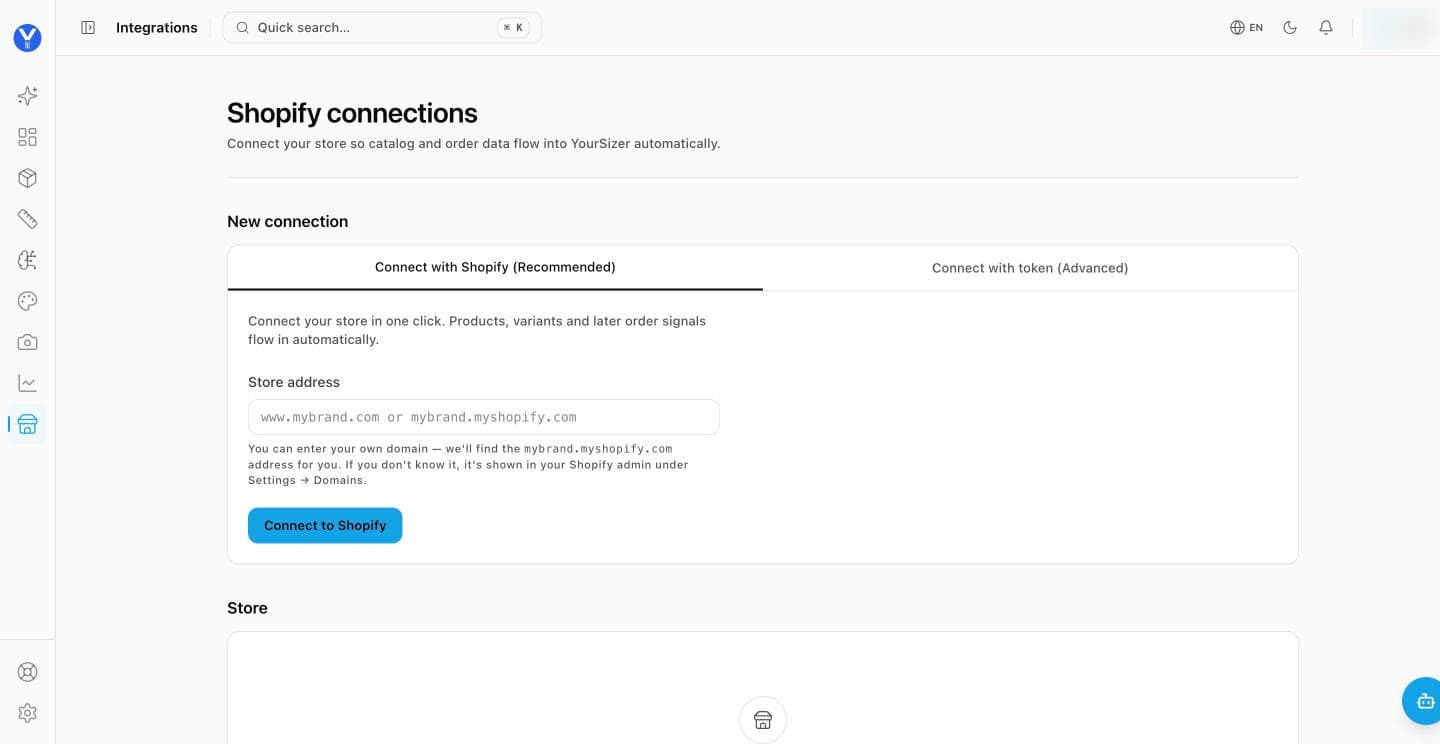
Enter your store address. Your own domain works — www.mybrand.com — and the panel finds the mybrand.myshopify.com address for you. If you are unsure, it is in Shopify admin under Settings → Domains.
Click Connect to Shopify. Shopify opens and asks you to approve the app’s permissions for your store.
Approve, and you are back in the panel. The store appears under Store, and products, variants and stock start importing. Order signals follow as orders come in.
Turn on the app embed. In Shopify’s theme editor, under App embeds, switch on YourSizer. The size button then appears on product pages — no theme code to edit.
Connect with a token (advanced)
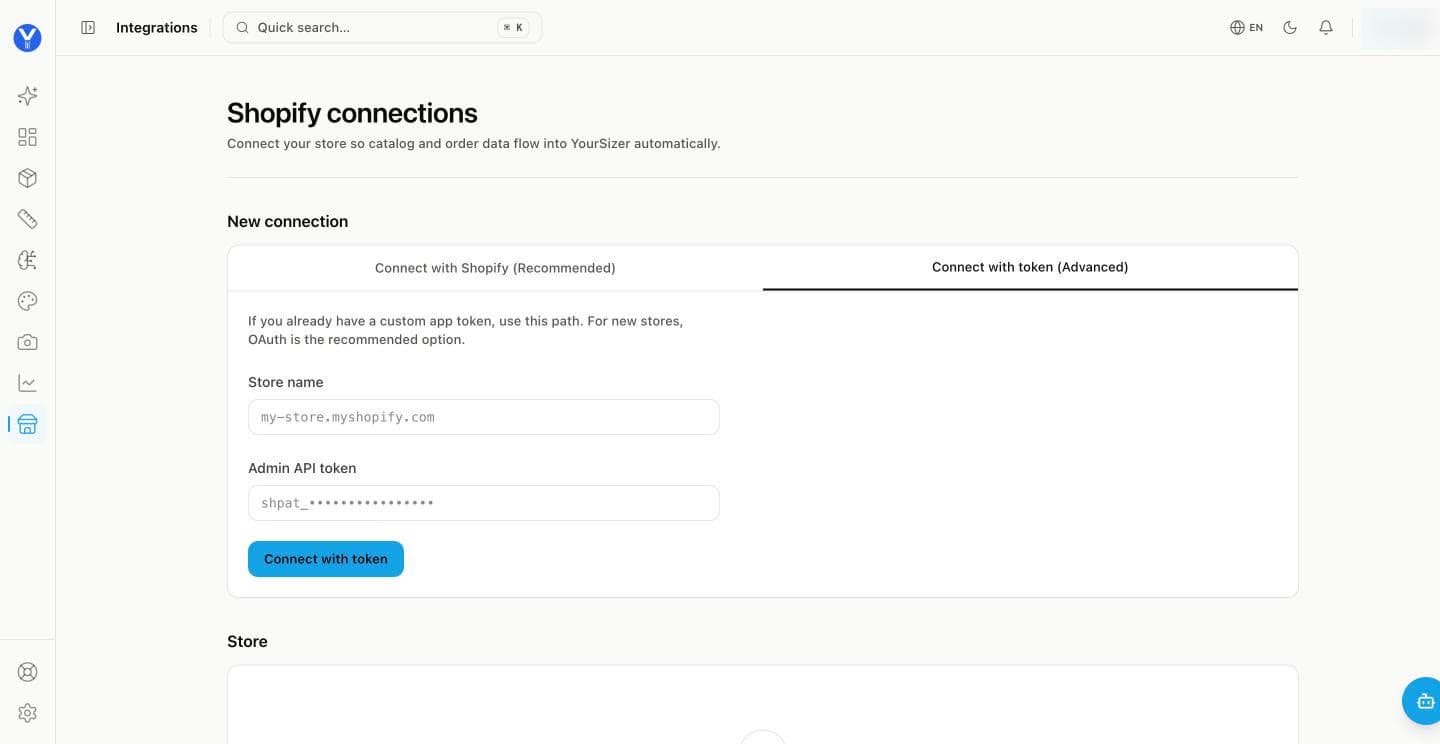
If you already run a custom app for your store, you can connect with its Admin API token instead. For new stores OAuth is the recommended path.
What syncs and what is written back
- Install
- App install with OAuth. The sizing widget and the return entry point are added as theme app embeds — no theme code editing for the standard case.
- What syncs
- Products, variants, size options, orders with line items, fulfilments and delivery events, refunds.
- What we write back
- Refunds, exchanges, store credit (with an optional merchant bonus), and (NoShot) product media appended to the catalogue. Writing stock back requires the inventory permission to be granted at install.
- Notes
- YourSizer is listed on the Shopify App Store as “YourSizer”. The ResReturn app is in App Store review; until it is listed, stores are set up through a demo or early-access link. The return portal can also be served from the merchant’s own domain through an app proxy, so the shopper never leaves the store. Data-deletion and uninstall compliance webhooks are handled.
Language and collection addresses
Product pages under a second language or a collection — /en/products/…, /collections/…/products/… — are recognised as the same product, so the button shows on every version of the page.