Faprika
Connect a Faprika store to YourSizer with an API user's key and secret plus a panel user. Catalogue, orders and returns sync through the Admin API; freshness comes from a periodic sync because Faprika has no webhooks.

 YourSizer Live
 ResReturn Planned
 NoShot Planned
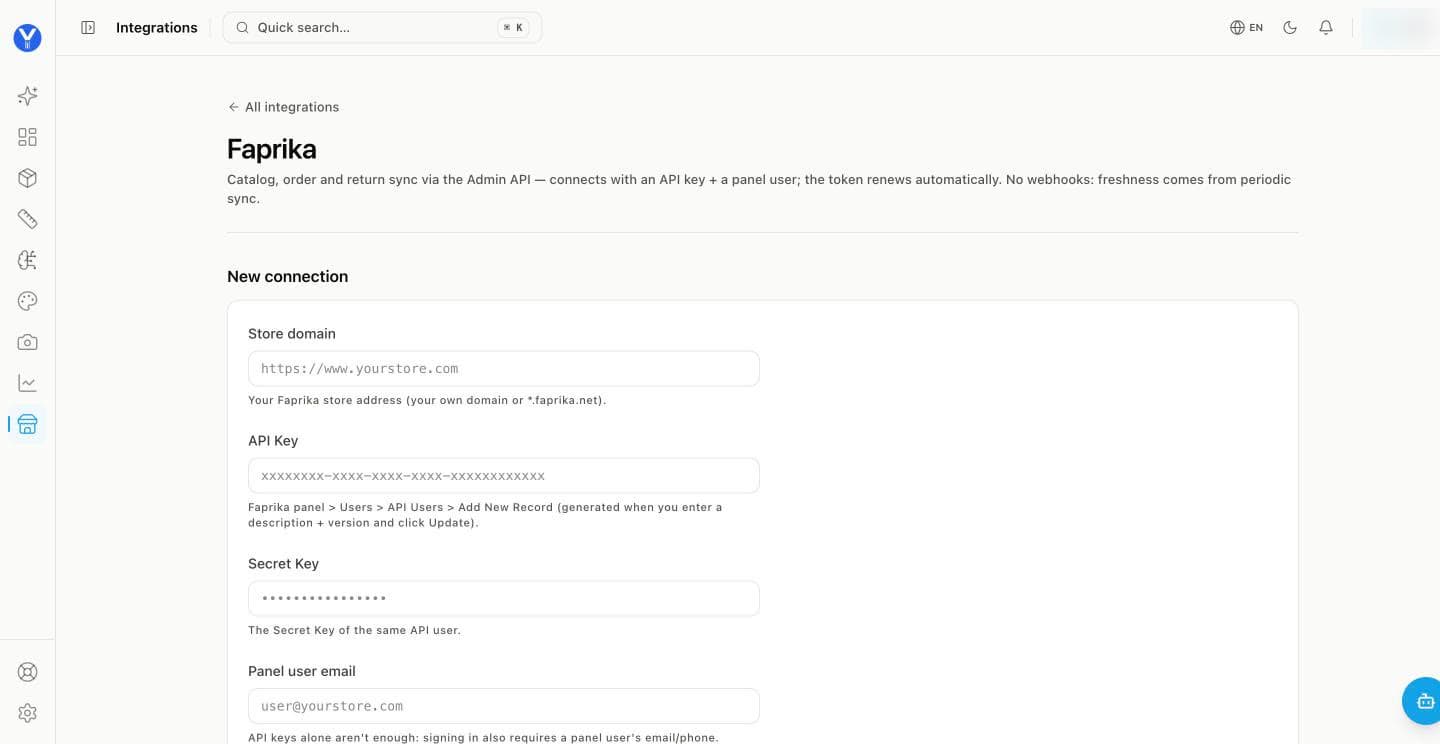
Create an API user in Faprika. In the Faprika panel go to Users → API Users → Add New Record, enter a description and version and click Update. The API key and secret key are generated.
Enter the store domain — your own domain or the *.faprika.net address.
Paste the API key and secret key.
Add a panel user’s email and password, then click Connect. Faprika needs a panel sign-in as well as the API keys. The password is stored encrypted and never shown in the panel again.
No webhooks on Faprika
Faprika does not send webhooks, so the catalogue and orders stay fresh through a periodic sync rather than instant updates.
What syncs and what is written back
- Install
- API credentials from the store admin plus the storefront script.
- What syncs
- Products, orders and lines, per-garment sizes, existing returns.
- What we write back
- ResReturn write-back (return records and refund actions) is planned.
- Notes
- Verified on more than one store, including a non-apparel catalogue, to confirm the integration does not assume fashion-shaped data.