Ticimax
Connect a Ticimax store to YourSizer with the store domain and the web service member code. Product cards, variants and stock come in through the SOAP web service, with size data already structured.

 YourSizer Live
 ResReturn Live
 NoShot Planned
Ticimax keeps size data in structured Numara / Beden fields, so variants map to sizes cleanly — no guessing from product titles.
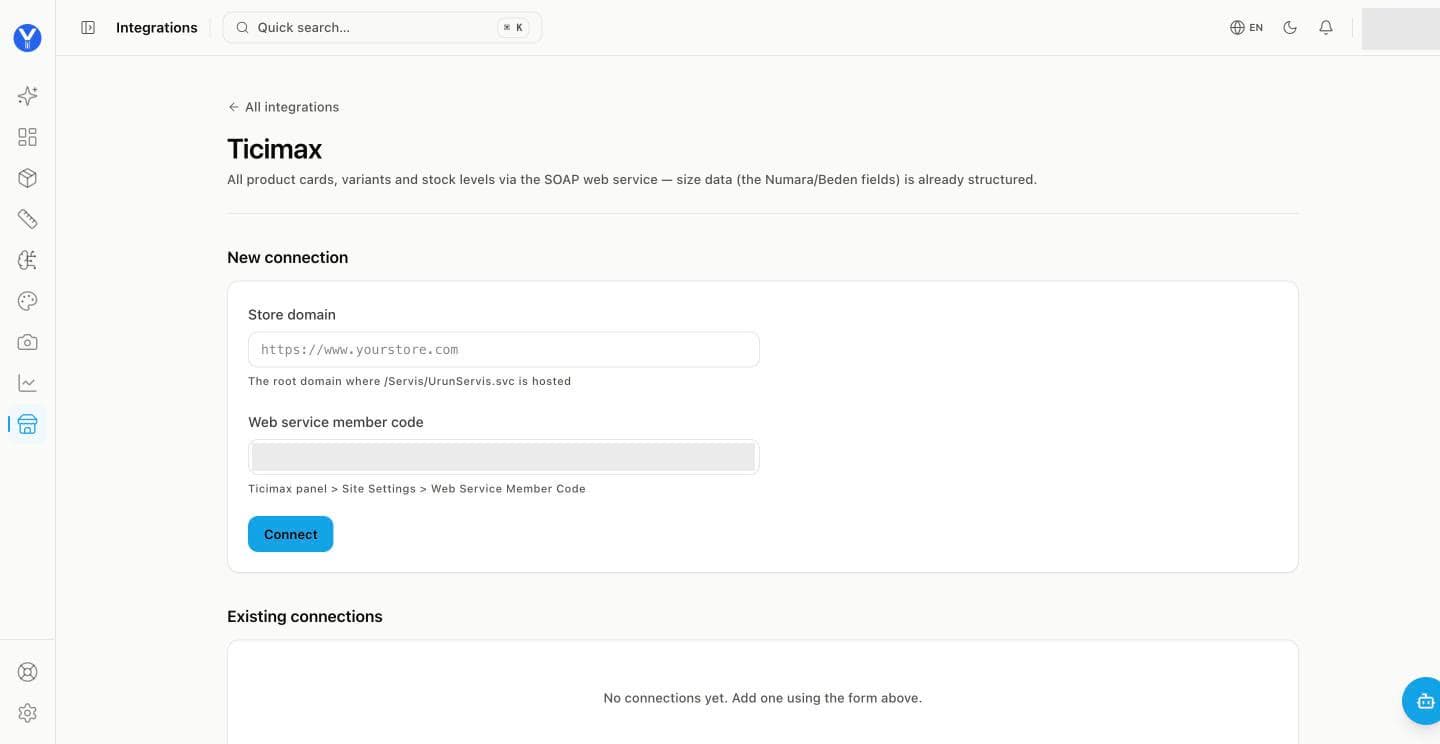
Get your member code. In the Ticimax panel open Site Settings → Web Service Member Code and copy it.
Enter the store domain. The root domain where your store’s web service runs, for example https://www.yourstore.com.
Paste the member code and click Connect. The store appears under Existing connections and the catalogue import starts.
Add the product-page script block. The widget reads the product’s variant model from the page and maps size options to your store’s own selectors.
What syncs and what is written back
- Install
- Web service credentials plus a product-page script block. The widget reads the product’s variant model from the page and maps size options to the store’s own selectors.
- What syncs
- Products, size and colour variants, orders and lines, order status.
- What we write back
- Return requests, refund and cancellation actions, and store credit as store points (Para Puan).
- Notes
- Sizing has been in production on Ticimax stores for some time, and returns now run live as well. Store credit is added to the shopper’s store points balance at a rate the merchant sets in the panel. On themes where the storefront loader is fixed, widget behaviour is configured on the bundle side rather than in the page snippet.
Unpaid orders are not counted
Orders opened at Ticimax’s payment step but never paid are not recorded as sales, so conversion and revenue are not inflated by abandoned payments.